Your opportunity feed
Read your matches, compare budgets, inspect jobs, and edit saved skills, minimum budgets, and email alerts. Telegram and Slack stay in your website settings.
Bring your EarlyBird matches into ChatGPT. Add Upwork’s separate app to take the next steps on Upwork—with you in control.
EarlyBird is now published in ChatGPT. Add the plugin directly—no Developer mode setup needed.
Prefer to watch? Follow this video walkthrough of using EarlyBird and Upwork together in ChatGPT, then use the written setup steps and prompts below.
Watch on YouTube ↗Opens in a new tab. This earlier recording may show manual setup; use the published plugin instructions below for ChatGPT. Keep control of your workflow: review applications, messages, and any costs before approving actions.
Read your matches, compare budgets, inspect jobs, and edit saved skills, minimum budgets, and email alerts. Telegram and Slack stay in your website settings.
Upwork documents job search, proposals, client messages, and contract updates in its ChatGPT app. Connect it separately with your Upwork account.
This streamlines discovery, comparison, and next steps. It does not promise autonomous project delivery or guaranteed work. EarlyBird itself cannot submit proposals.
Open EarlyBird in ChatGPT ↗ and use the add or connect option shown in your account. You do not need to create a developer-mode connection.
Use the same EarlyBird account you use here. If you registered with Google, choose Continue with Google. Otherwise use your EarlyBird email and password.
Check the requested permissions on EarlyBird’s authorization screen, approve the connection, then return to ChatGPT. Never paste a password or token into a chat.
Select or enable EarlyBird using the tools available in your ChatGPT interface, then try the first prompt below. Your workspace administrator may control access.
Published listing added 1 October 2026. Button labels may vary by interface.
The same EarlyBird server is available for clients that support remote MCP over Streamable HTTP and OAuth. Compatibility and access depend on the client; this is separate from the published ChatGPT plugin.
https://mcp.earlybird.live/mcpIn Claude, open Settings → Connectors and choose Add custom connector. Name it EarlyBird and paste the server URL above. Workspace accounts may need an administrator to add it.
Follow the client’s sign-in flow to EarlyBird, sign in with Google or email as appropriate, and approve the requested permissions. If offered, use automatic client registration; do not invent a client ID or secret.
Enable EarlyBird in a conversation and ask it to read your saved preferences and recent matches without changing anything. The EarlyBird prompts below also provide a starting point for other assistants; Upwork’s separate integration is only available where that service supports it.
Claude’s current custom connector instructions ↗
If your client does not support this authentication or transport, use the EarlyBird dashboard or the published ChatGPT plugin. Never disable authentication to work around a connection error.
Search for Upwork, choose its official app, select Connect, and authorize your Upwork account.
Ask EarlyBird for your filtered opportunity feed. Ask Upwork to verify a listing or handle supported Upwork actions. If both cannot be selected in your chat, use a separate chat with Upwork and paste the job’s original URL.
Check proposal text, the selected job, bid, and Connects cost before submission. Upwork says accepting an offer must be completed by you on upwork.com.
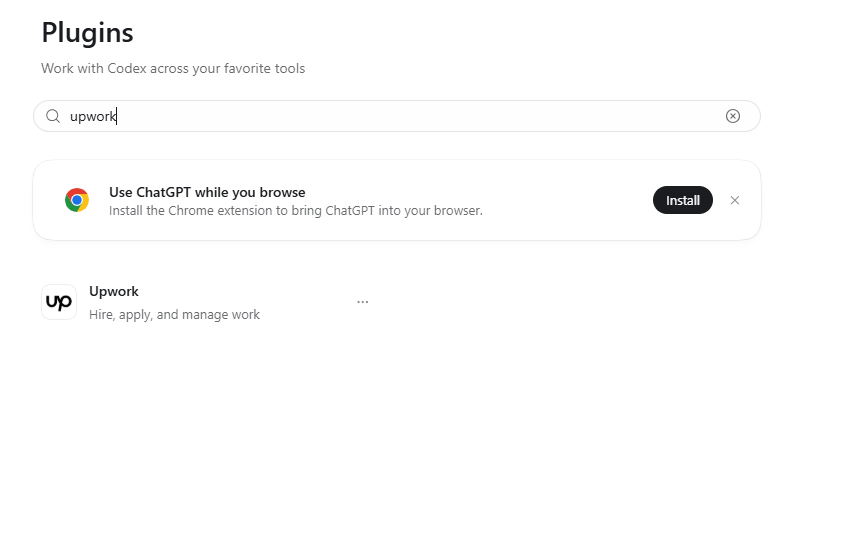
The installation screen below is from Codex. It is separate from the ChatGPT setup instructions above; the interfaces are different.
Upwork shown in the Codex Plugins search results. This screen does not confirm a connected account or a submitted proposal.
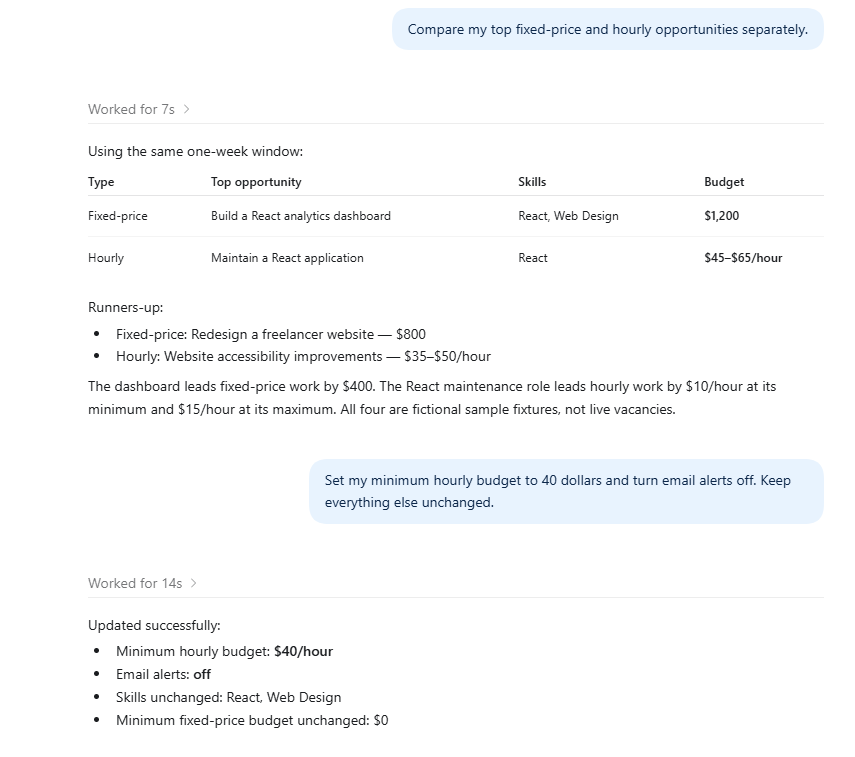
Fictional job examples demonstrate separate fixed-price and hourly comparisons, followed by a requested preference update. These are sample data, not live vacancies or evidence of a proposal submission.
Use EarlyBird to read my saved alert preferences, then show my recent job matches. Do not change anything.
Check that the returned skills and minimum budgets match your account. No jobs yet? Widen the time window or review your filters. An empty result does not necessarily mean the connection failed.
These are prompts to run yourself, not scheduled automations. Attach the named connections, add your own context, and review the results.
Use EarlyBird to show my job matches from the last 24 hours. Pick up to five worth reviewing against my saved skills and budgets. Separate fixed-price budgets from hourly rates. Explain the fit and flag missing information. Do not change my alert settings.
Use EarlyBird to compare my recent matches. Ask me about my availability and relevant portfolio examples first. For each job, show the deliverables, budget, questions to ask, and reasons to apply or pass. Use only facts from the job and information I provide.
Use EarlyBird to find a job I choose, then use the connected Upwork app to look up the same listing and confirm it is still open. If it cannot be matched, ask me for the original Upwork URL. Draft a tailored proposal using my real experience. Show the final text, job, bid, and Connects cost. Wait for my explicit approval before submitting. Do not boost it.
Read my current EarlyBird alert preferences. Suggest changes based on the jobs I liked in this conversation. Show the proposed skills and separate fixed-price and hourly minimums before changing anything. After I approve, update only those settings and read them back.
Use the Upwork app to check my contract and milestone status. Summarize what needs my attention and draft any follow-up messages for me to review. Do not send messages or submit work without my approval.
No. Use the published EarlyBird plugin link above for ChatGPT. Manual MCP setup is available for Claude and other compatible clients. Account or workspace restrictions may still apply.
Reconnect from the EarlyBird plugin in ChatGPT, or your AI client’s connector settings. Use Continue with Google if that is how you registered. For manual MCP, check the /mcp URL and OAuth support. Start authorization from your client rather than opening the consent URL directly.
Attach EarlyBird to the conversation and name it explicitly in your prompt. Check that its tools are enabled in the connection details. Refresh the tool list if needed.
The connections are separate. Ask Upwork to resolve and verify the original listing. If it cannot, open the job on Upwork yourself. Review every application and its cost before approving.
No. Remove the connection in ChatGPT to stop using it there. Manage your EarlyBird subscription in Billing. Disconnecting does not erase content already returned in a conversation.
Need help? Contact EarlyBird support. Send the error message, not your password or tokens.